Playback & download
Watch packing recordings, save evidence to the cloud, download clips, and verify package proof.
PackVision saves your packing footage directly on your local station computer and lets you watch, download, or save important clips online whenever you need them.
Watch a recording
- Open Recordings and select any order or barcode session.
- Select Play.
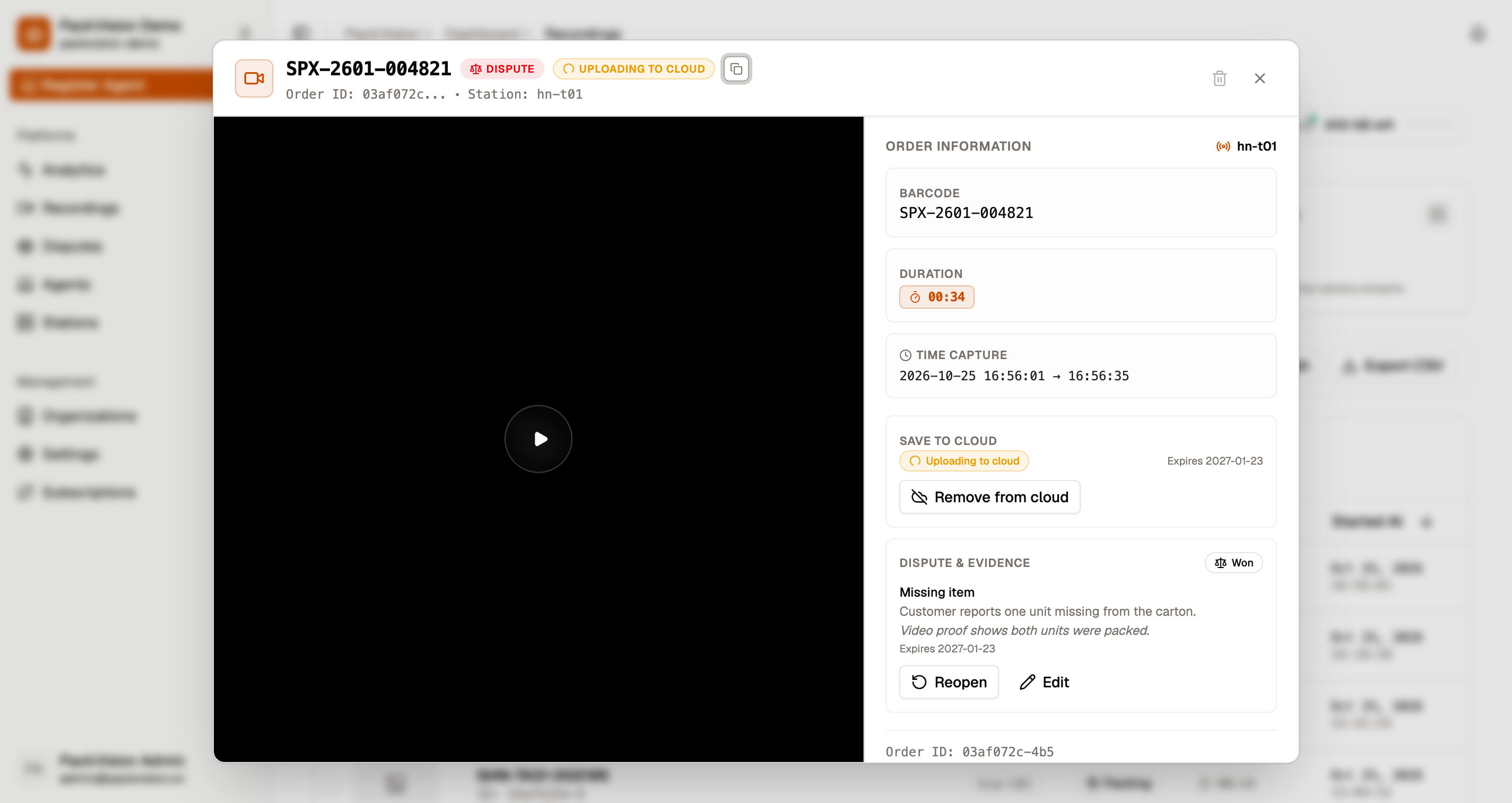
The video player opens right inside your browser:
- Instant seeking — You can jump forward or backward to any second of the packing process without waiting for the whole video to download.
- Audio playback — If audio recording is enabled on your station, the microphone audio from the packing desk plays automatically alongside the video.
- Direct vs. remote streaming — When you are on the same local network as your packing stations, video plays directly at maximum speed and consumes zero streaming data quota. When you watch remotely from home or another office, video streams securely over the internet using your plan's data transfer allowance.
Save to cloud for anytime access
Normally, video clips live on your station computer. However, you can save any important recording to Cloud Storage directly from your web dashboard:
- In the recording details window, find the Save to cloud card.
- Choose how long you want to keep the video: Permanent, 30 days, 60 days, or 90 days.
- Select Save to cloud.
- If your network connection drops during upload, select Retry upload to easily finish saving.
Once saved to cloud storage, you and your team can watch, download, and share the video evidence anytime — even if the computer at the packing station is shut down, restarted, or offline. Cloud recordings use your organization's cloud storage quota (5 GB included free).
Tamper-proof evidence verification code
Every recording has a unique Evidence code displayed in the details panel:
- Guaranteed authentic — This unique code verifies that the video and audio have not been edited, cut, or altered in any way since the package was scanned.
- Defend against false claims — When dealing with customer complaints, missing item allegations, or shipping carrier claims, this verification code provides ironclad proof that the order was inspected and packed properly.
- Auditable proof — You can share this code alongside the video to satisfy marketplace dispute reviewers and insurance inspectors.
Download recordings
Select one or more recordings and choose Download to save the video file (MP4) directly to your computer.
Export a trimmed clip (desktop app)
While the web dashboard lets you watch and save full recordings, you can also produce a cleanly trimmed file on the desktop app:
- Open Recordings in the desktop app and choose the recording.
- Select Export Recording.
- The app cuts the exact start and end of that packing order, saves an MP4 clip to your export folder, and opens the folder for you.
The exported file stays on that computer. To keep the evidence available to your team when the station is off, also select Save to cloud on the recording in the web dashboard.
See Desktop app to configure your export folder.
Common messages while watching or saving
| Message | What it means | What to do |
|---|---|---|
| Data transfer limit exceeded for server streaming. Please upgrade your subscription plan. | You have used up your monthly remote streaming allowance. | Upgrade your data transfer limit or wait for the next billing cycle. |
| Failed to save recording to cloud | Network dropped, or the cloud storage allowance is full. | Free space with Remove from cloud, then retry the save. |
| No active subscription found. An active subscription is required for server streaming. | Your organization's subscription has expired. | Renew the subscription. |
| Station is currently offline. | The packing computer could not be reached. | Make sure the desktop app is running and connected to the internet. |
| Station timed out while preparing recording. | The packing computer took too long to respond. | Try again. If it continues, check the computer connection. |
| Cloud save failed. | Network interrupted the upload to cloud storage. | Click Retry upload in the recording card. |
| Recording not found. | The video file is no longer on the station computer. | The file may have been cleaned up by your local disk storage limit. |
Local playback is free
Watching video directly on your facility's local network does not use your monthly data transfer allowance. Only remote streaming from outside uses your plan's streaming quota.
See Errors & troubleshooting for more assistance.