Stations
Manage stations, real-time KPI metrics, tags, and the agents behind them.
A station is a recording unit inside an agent and is paired to one camera. Each station has its own recordings and storage.
Station overview & KPI strip
At the top of the Stations page, the real-time KPI strip summarizes floor availability:
- Total Stations — every station configured in the organization.
- Active Recording — stations actively capturing video.
- Standby / Idle — stations connected and online, but not currently capturing footage.
- Offline / Disconnected — stations that have not sent a recent heartbeat.
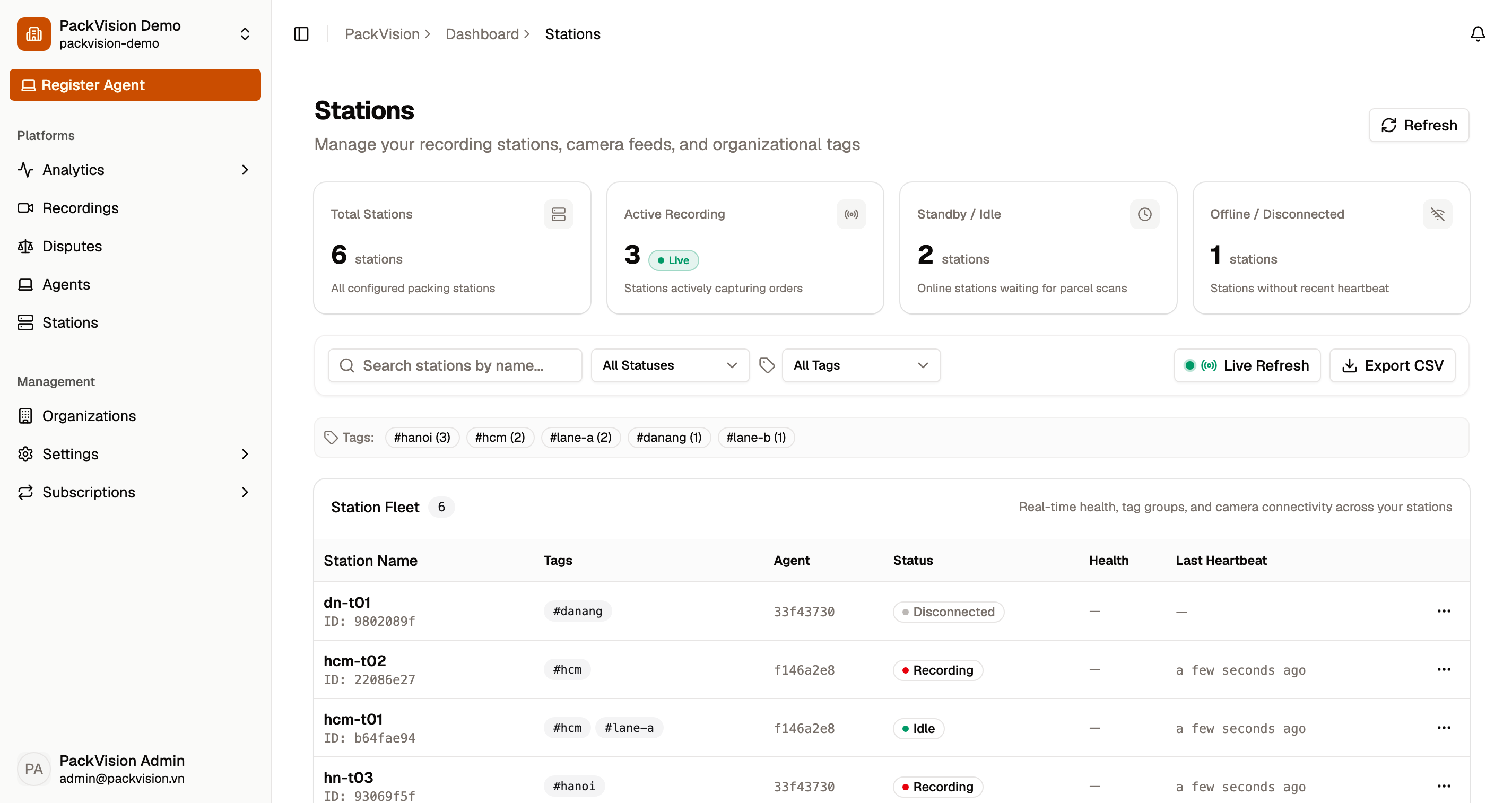
Station statuses
| Status | Meaning |
|---|---|
| Idle | Online and ready, but not recording. |
| Recording | Actively recording and detecting barcodes. |
| Disconnected | No recent heartbeat from the device. |
| Unknown | Status has not been reported yet. |
The desktop app sends a heartbeat while it runs. A station is considered online while its last heartbeat is recent (within about 5 minutes).
Manage stations in the dashboard
Open Stations to see every station in the active organization.
- Use the search box to find a station by name.
- Filter by status (Idle, Recording, Disconnected) or by one or more tags.
- Turn on Live Refresh to keep the list current automatically.
- Open the edit drawer to rename a station and manage its tags. Add a tag by typing it and pressing Enter.
- Select Export CSV to download the current list.
- Select Delete to remove a station. This cannot be undone.
Deleting is permanent
Deleting a station removes it from the dashboard. Confirm the prompt Are you sure you want to delete station "{name}"? This action cannot be undone.
before proceeding.
Tags
Tags are free-form labels you can attach to stations to group them — by site, warehouse, lane, or region. Tags are used by the analytics suite to break down performance.
Agents vs. stations
- Agents are entities in the organization, paired to a computer through the desktop app. One agent can host multiple stations.
- Stations are recording units inside an agent. Each has one camera today; multiple cameras per station is planned. A station has a name, tags, status, and recordings.
An agent that has been revoked can no longer serve its stations until it is approved again. See Connect a device.
Next steps
- Live view — start a stream.
- Recordings — review what was captured.